

How to Choose Smart Glasses in 2026: Ignore the AI Demos, Decide What You Actually Want on Your Face
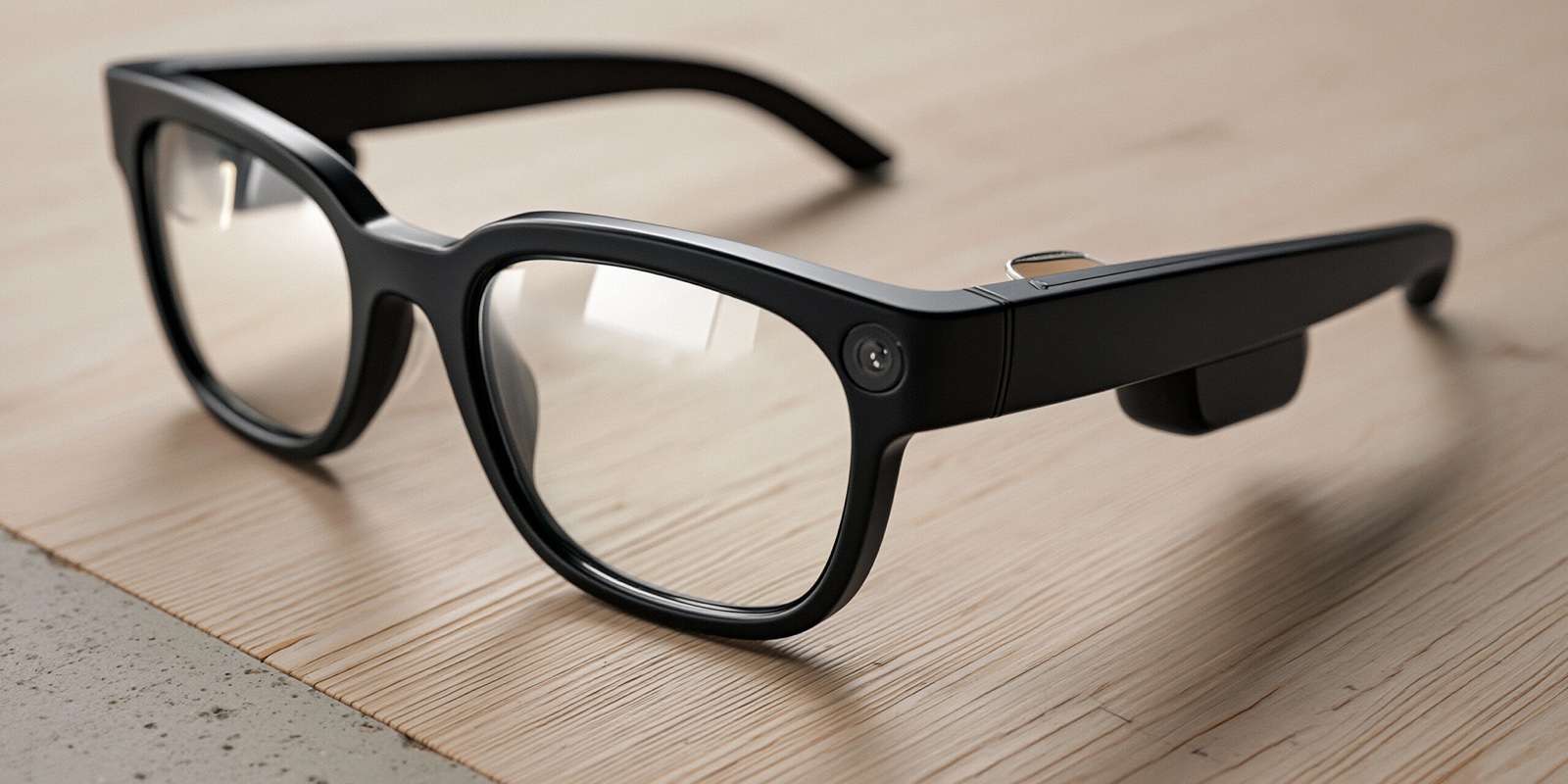
Smart glasses went from sci-fi curiosity to the most-hyped gadget of 2026 in about a year. The launch demos are dazzling — live translation floating in your vision, an AI that answers questions about whatever you're looking at, a screen only you can see. But the demo is shot in ideal conditions, and the glasses you'll actually live with have a battery that drains in hours, a price that climbs once you add prescription lenses, and a fundamental question the marketing skips: do you want a display in your eye, or just a camera and a speaker on your face? Those are two very different products at two very different prices.
Here is exactly what matters when choosing smart glasses, and what is just a good demo.
The short answer
If you want to skip the deep dive, here is the baseline of what to look for:
- Pick your category first. "Audio" glasses (camera, speakers, voice AI) and "display" glasses (an actual screen in the lens) are different products. Buying the wrong category is the most expensive mistake you can make.
- Halve the battery claim. "Up to" battery numbers assume light use. Real-world use — music, photos, the display — drains them far faster, often to a few hours. Plan around the case, not the headline.
- Budget for prescription lenses. If you wear glasses, the sticker price isn't your price. Prescription lenses add real cost and tie you to specific opticians.
- Decide how you feel about the camera. A camera on your face is the actual product. If you — or the people around you — aren't comfortable with that, no feature list will fix it.
Check live prices and aggregated Reddit sentiment scores for top smart glasses on Avorio →
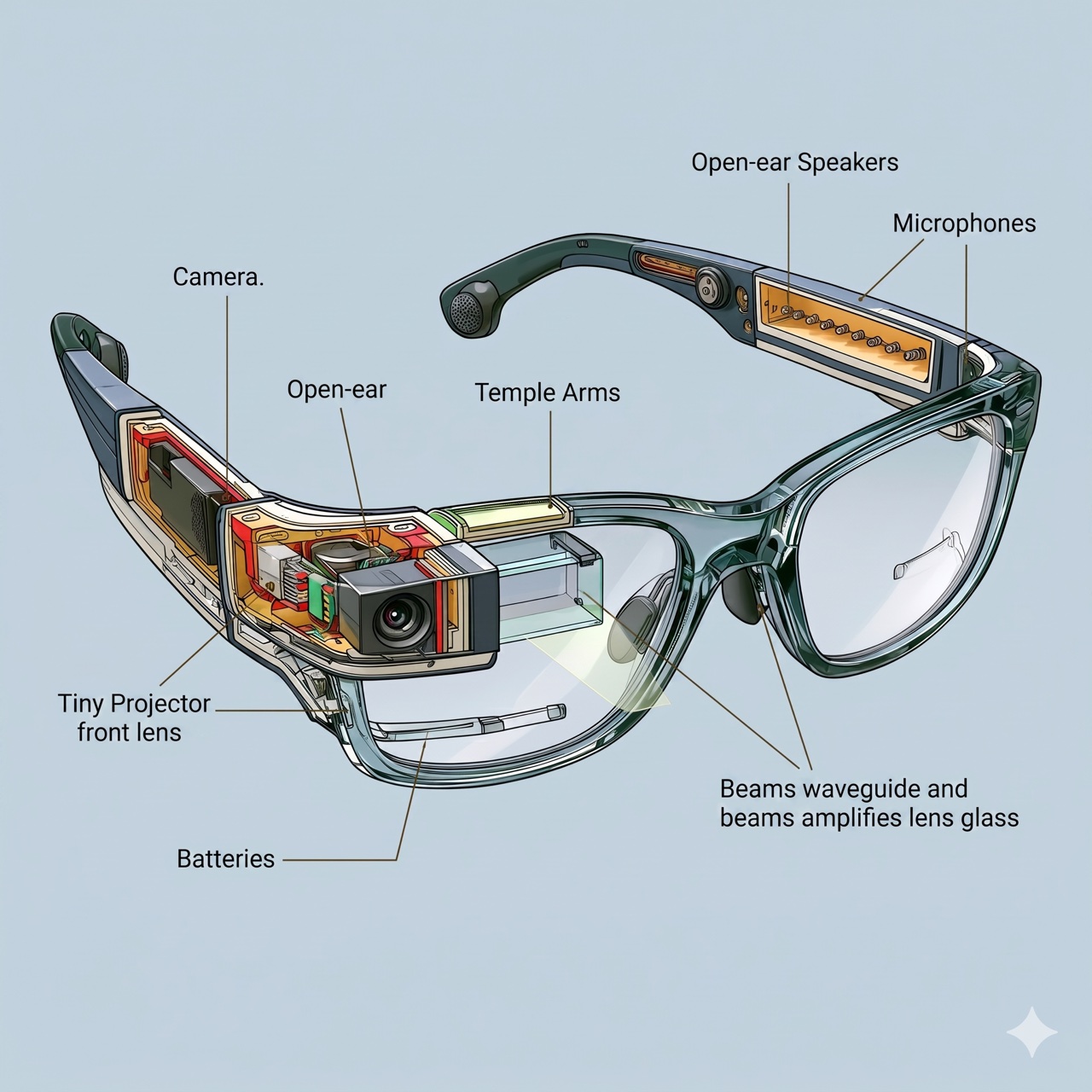
Before we break down what to look for, here's what's actually packed into a frame a few millimeters thick — and why the AI is the easy part:
"Audio" vs "display" glasses: choose the category before the brand
This is the decision the marketing blurs, and it's the most important one you'll make.
There are two genuinely different products both called "smart glasses":
- Audio (or camera) glasses look like ordinary frames and add a camera, open-ear speakers, microphones, and a voice assistant. There's no screen — information comes through sound. They're lighter, last longer on a charge, cost less, and are the better pick if you mainly want hands-free photos, calls, music, and a voice AI.
- Display glasses add an actual screen projected into the lens — notifications, turn-by-turn navigation, live translation captions, messages — that only you can see. They're heavier, pricier, and hungrier for battery, and they make sense if you specifically want a private screen on demand.
Buying display glasses when you only wanted a camera means paying a premium for weight and battery drain you didn't need. Buying audio glasses when you wanted navigation in your vision means returning them. Decide which category fits your life before you compare a single brand.
Battery claims and AI demos are mostly best-case theater
Brands lead with two things: a jaw-dropping AI demo and a big "up to" battery figure. Treat both with suspicion.
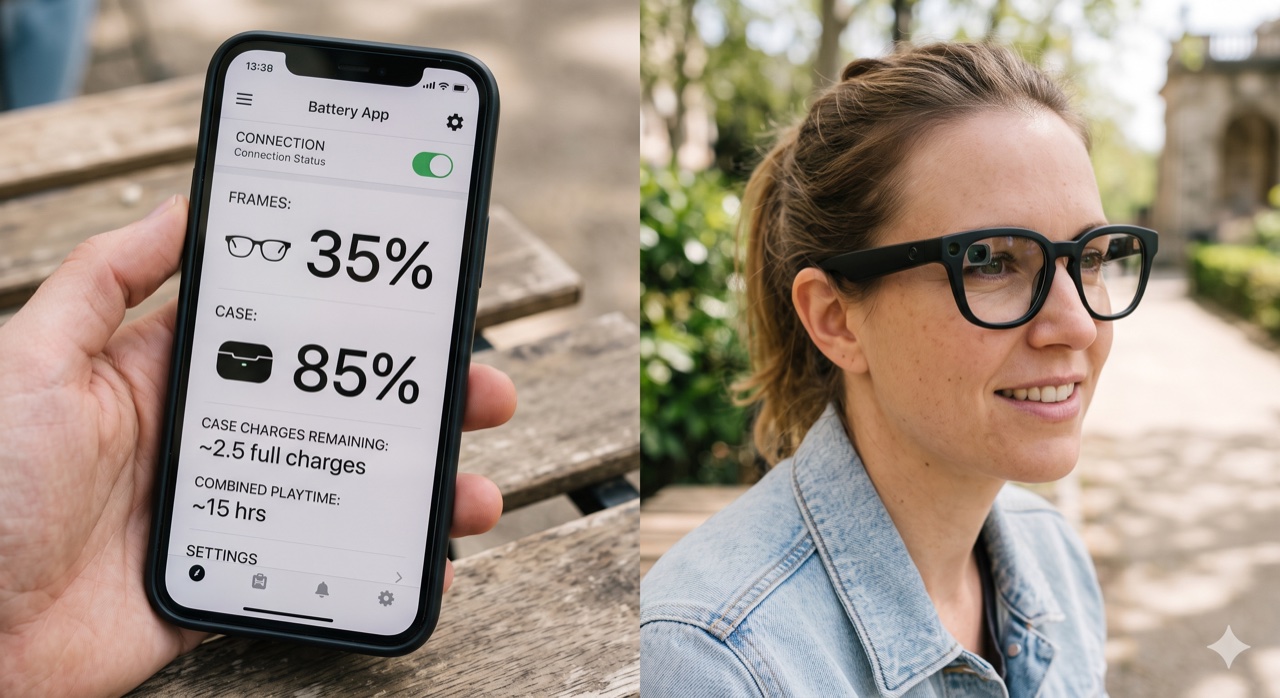
The battery claim is a best-case number. "Up to 6 hours" or "up to 8 hours" assumes light, mixed use. Turn on the display, stream audio, or shoot video and real-world reviewers consistently get a fraction of that — in some testing, a display pair dropped to 40% after about ninety minutes of listening. The charging case is where the real endurance lives, topping the glasses up through the day, so plan your usage around the case rather than the headline figure.
The AI demo is filmed under ideal conditions: good lighting, a quiet room, a fast connection, a scripted question. Live translation and "ask about what you're seeing" are genuinely useful, but they lean on your phone and a network connection and degrade in noise, poor light, or low signal. Judge the AI by whether long-term owners actually use it daily — not by the launch keynote.
Prescription lenses: the price tag the sticker hides
If you wear glasses, the advertised price is not your price. Smart frames support prescription lenses, but those lenses cost extra — sometimes a lot extra — and are fitted through specific optical partners, not any local shop. That can add a meaningful sum to the total and tie your purchase to one retailer's lens pricing.
Run the real math before you fall for the sticker price: frame price + prescription lenses + (often) a sunglasses tint option. For glasses-wearers, that bundle can be substantially more than the number in the headline. It doesn't make the glasses a bad buy — but you should know the all-in cost, and that you may be locked to one optician for lens replacements down the line.
The camera on your face is the actual product
Every smart glass with a camera raises the same question, and it's worth sitting with before you buy: are you comfortable wearing a camera on your face, and are the people around you?
This isn't a spec, but it's the single biggest reason smart glasses end up in a drawer. A small indicator light tells others the camera is recording, but social comfort varies — some people love the hands-free capture, others feel self-conscious or get pushback in gyms, bathrooms, schools, and around friends who didn't sign up to be filmed. There's also a battery-lifespan reality: like any wearable, the sealed batteries in the arms degrade over a couple of years and can't be replaced, making the glasses a 2–3 year device, not a lifetime one.
When you buy smart glasses, you're committing to wearing a camera and a computer on your face, to a battery that fades, and possibly to one optician for your lenses. The launch demo can't tell you whether the AI got used after week one, whether the battery lasted a real day, or whether the camera felt awkward in public — but the people months into ownership can.
Category fit, real battery life, prescription costs, and how a camera-on-your-face actually feels don't show up in a product photo. Use Avorio to aggregate real long-term owner reviews, check Reddit sentiment, and find the best live price on the smart glasses that actually fit your life →
Don't rely on a launch demo to make the final call. Avorio aggregates thousands of real user reviews, filters out sponsored and AI-generated content, scores real-world battery life, AI usefulness, and everyday comfort across Reddit, YouTube, and social media, and finds the lowest live price.
Search smart glasses on Avorio →
Frequently asked questions
What's the difference between audio smart glasses and display smart glasses?
Audio (or camera) glasses add a camera, open-ear speakers, microphones, and a voice assistant but no screen — information reaches you through sound. Display glasses add an actual screen projected into the lens for notifications, navigation, and translation captions only you can see. Display glasses are heavier, pricier, and use more battery, so choose the category that matches your main use before comparing brands.
How long does the battery on smart glasses really last?
Marketing quotes "up to" figures — often 6 to 8 hours — that assume light mixed use. In real-world testing with the display on or audio streaming, that drops sharply, sometimes to a couple of hours. The charging case provides most of the all-day endurance by topping the glasses up, so plan around the case rather than the headline number, and remember the sealed batteries degrade over a couple of years and can't be replaced.
Can I get smart glasses with my prescription?
Yes — most major smart glasses support prescription lenses, but they cost extra and are fitted through specific optical partners rather than any local shop. For glasses-wearers, the real cost is the frame plus prescription lenses (plus any tint option), which can be considerably more than the advertised sticker price, so factor that in before buying.
Avorio cuts through sponsored content to surface authentic product reviews from Reddit, YouTube, and social media — and finds the best live prices. Search smart glasses on Avorio →